
AI agents, AI-connected IDEs (Integrated Development Environments), and coding assistants such as Claude Code, Cursor, and OpenClaw are gaining traction. Production typically relies on two distinct techniques:
- Building an AI tool within the platform (for example, Claude Code through Claude Desktop) that you can use across multiple sessions.
- Using these technologies to build a standalone tool that runs outside the AI environment. The code may still be AI-assisted but is deployed independently on platforms such as Netlify or Vercel.
In this article, I’ll focus on path 1 because it’s more accessible to marketers, though I’ll also touch on path 2. Specifically, we’ll build a Google E-E-A-T checker with Claude Code in Claude Desktop. The same techniques apply easily to other AI coding tools and platforms.
Why focus on E-E-A-T specifically?
E-E-A-T (Experience, Expertise, Authoritativeness, and Trustworthiness) is Google’s framework for evaluating the quality, credibility, and trustworthiness of content.
Dig deeper. User-first E-E-A-T: What actually drives SEO and GEO
Unlike page speed and Core Web Vitals, Google’s E-E-A-T guidance isn’t exposed through simple API endpoints. Instead, Google provides a framework and broad methodology for people to apply.
AI excels at processing large amounts of unstructured information and applying that kind of framework. That’s why an E-E-A-T checker stood out as a useful example. If implemented well, it’s an area where AI can provide meaningful insight and value.
Project build stack
- This tool is built and run primarily in Claude Desktop using Claude Code. You can download Claude Desktop and sign in with a free Claude account. However, using Claude Code requires a Claude Pro, Max, Team, or Enterprise subscription, unless you purchase separate Claude Code API credits.
- If you’re using another AI-powered IDE or desktop AI platform, that’s fine. The overall workflow is similar and should translate easily to other tools.
- You’ll need a GitHub account to back up your project.
- The project generates a Microsoft Word audit document, so Microsoft Office is recommended. If you don’t have it, you can adapt the approach to generate an HTML/CSS/JavaScript application or use alternatives such as LibreOffice or OpenOffice.
Getting started
- Ensure you have either a Claude plan that supports Claude Code (Pro, Max, Team, or Enterprise) or an Anthropic API account with billing enabled.
- Download and install Claude Desktop
- Sign in to Claude Desktop and connect it to your Claude or Anthropic account.
- If you’re using a different desktop AI agent or an AI-powered IDE, launch it and be ready to follow along.
Once everything was set up, it was time to start building.
I created a new Claude Code session in Claude Desktop called “E-E-A-T Checker Demo” and gave Claude the following instructions:

Normally, if you give Claude a list of URLs to examine, it uses its built-in Web Fetch. That approach can be blocked by some websites, so I instructed Claude to launch a headless Python browser instead.
I already had Python installed, so Claude easily connected to my existing installation and created a headless browser for the task. If required, Claude Code can also install missing Python libraries and modules because it can use Command Prompt and PowerShell.
This is how Claude responded to my request:

For the headless browser, Claude chose the Chromium engine, which is a standard choice. Google Chrome is built on Chromium, making it a robust and widely used browser.
Many developers use the Chromium engine with Python automation libraries such as Selenium for automated testing. Here, we’re repurposing the same technology to acquire website content and resources for analysis.
Once Claude had processed the source materials and built an initial scaffold, it returned the following message:
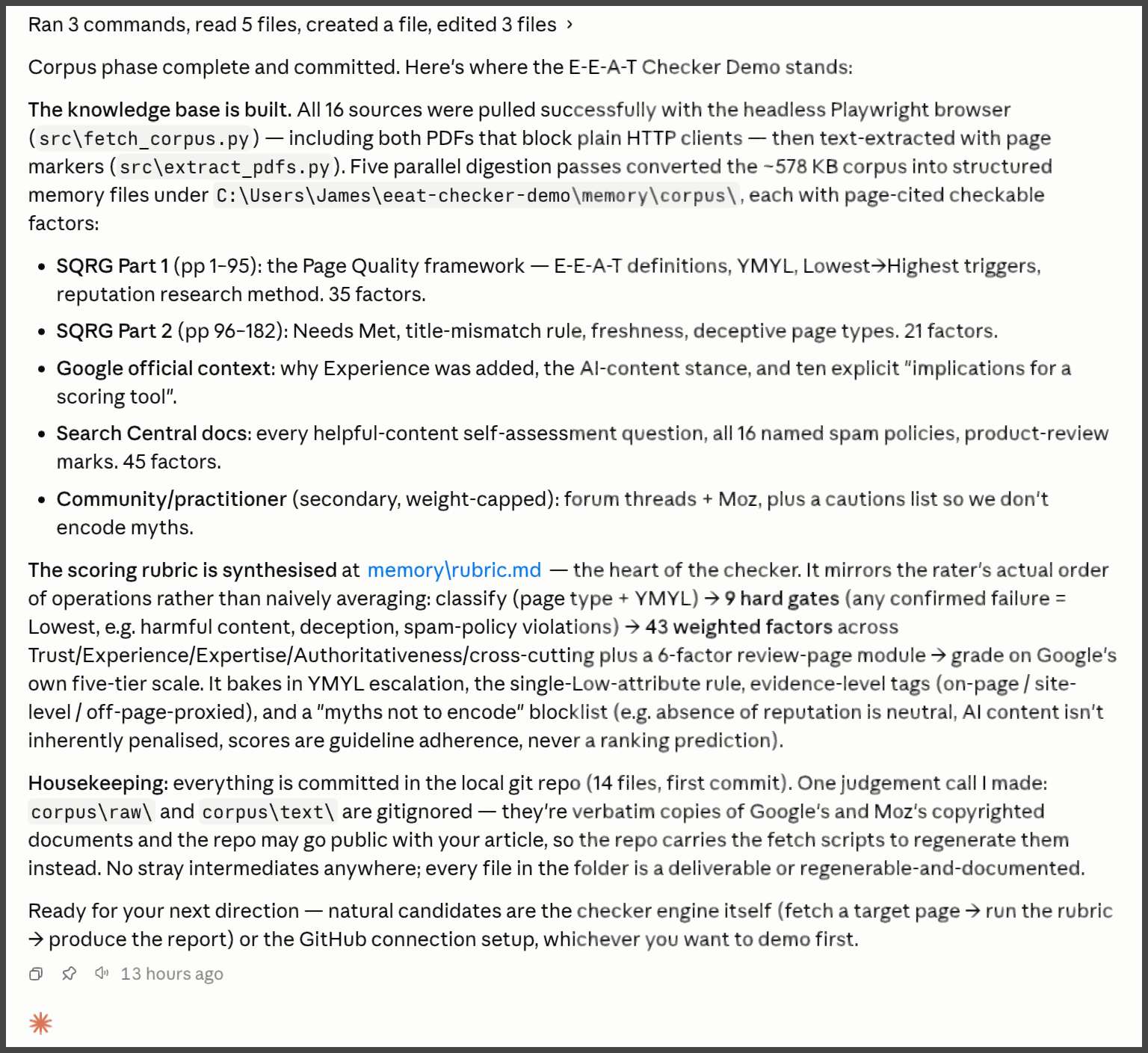
At this stage, Claude reported that:
- It had processed the source materials into its chosen data structures, creating the first version of its E-E-A-T knowledge base.
- All content and knowledge extraction was completed successfully.
- The scoring rubric had been synthesized.
- It had a strategy for keeping verbatim copyrighted material out of the GitHub repository.
- The local project repository was created successfully.
You don’t have to scrape these materials from the web. You could review the source content yourself, then provide Claude with your own tailored guidance and reference materials instead.
Deepening and testing the build
With the framework in place, it’s time for a quick test. However, connecting Claude to a single page won’t provide a meaningful E-E-A-T assessment of an entire website.
Instead, you should choose representative page types. While you could analyze a complete site crawl, that’s usually unnecessary.
For this demonstration, I simply asked Google which page types are most useful for an E-E-A-T assessment:

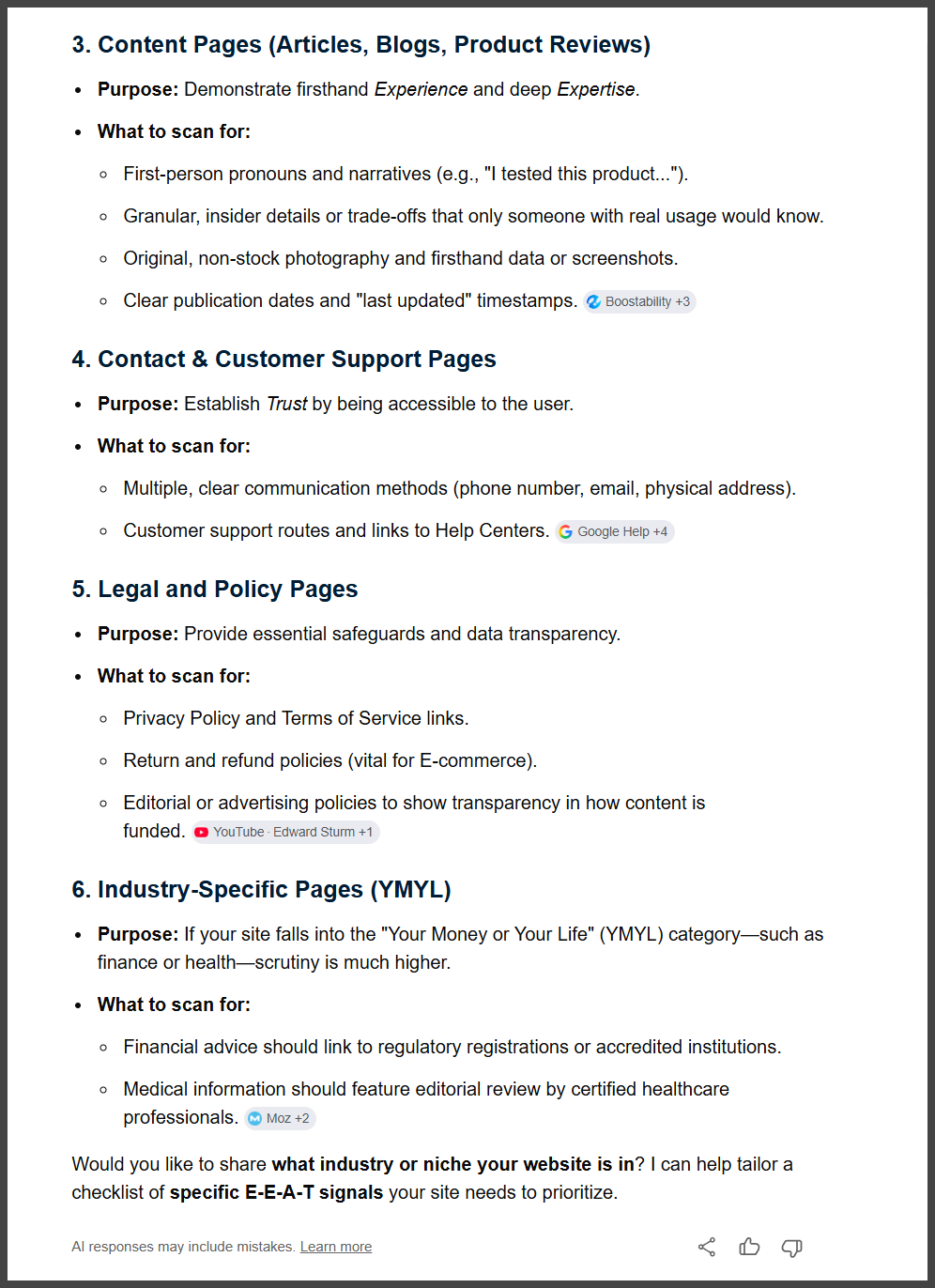
In this case, we’ll check:
- The Search Engine Land homepage – https://searchengineland.com/
- The Search Engine Land staff / meet the team page – https://searchengineland.com/staff
- Danny Goodwin’s page – https://searchengineland.com/author/danny-goodwin
- The About Search Engine Land page – https://searchengineland.com/about
- The latest posts page – https://searchengineland.com/latest-posts
- A recent post by Barry Schwartz – https://searchengineland.com/top-stories-roll-out-in-google-ai-overviews-482615
- My own Search Engine Land author page – https://searchengineland.com/author/james-allen
- The Search Engine Land guides page – https://searchengineland.com/guide
- A recent guide by Veruska Anconitano – https://searchengineland.com/guide/ai-and-llm-optimization
- The webinars page – https://searchengineland.com/webinars
- The intelligence reports page – https://searchengineland.com/intelligence-reports
- The SMX events page – https://searchengineland.com/smx
- The Search Engine Land contact page – https://searchengineland.com/contact
- The privacy page – https://searchengineland.com/privacypolicy
- The terms of use page – https://searchengineland.com/termsofuse
This will do for our demonstration.

Here, Claude is told which pages to examine and given guidance on the desired output format, which we’ll build next.

Claude then outlined its next steps. Importantly, it confirmed that it would capture both the raw HTML source and the rendered page content. Because Claude is operating a headless browser, it can execute and render code before analyzing the page.
After some time, Claude completed its initial production run:

Claude reported that it had generated the audit document:
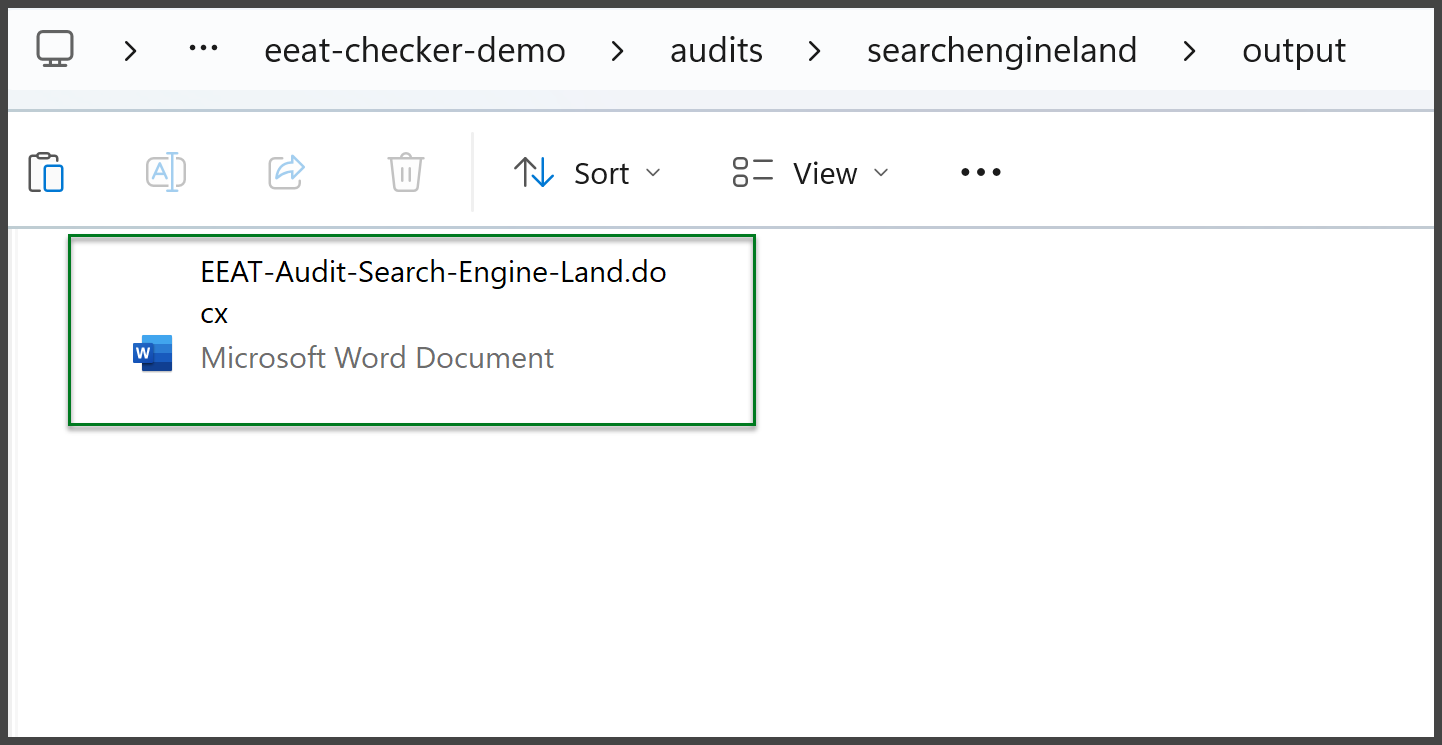
This is the audit Claude produced on its first run:


Overall, the first audit is solid. If needed, we can refine it further:

This was a substantial, detailed prompt for Claude to process. Claude’s Fable 5 model handled it comfortably, and Opus 4.8 was already capable of managing structured prompts of this complexity. In this pass, we asked Claude to improve the document’s formatting and readability before reviewing the output again.
This is what Claude returned on the second pass:
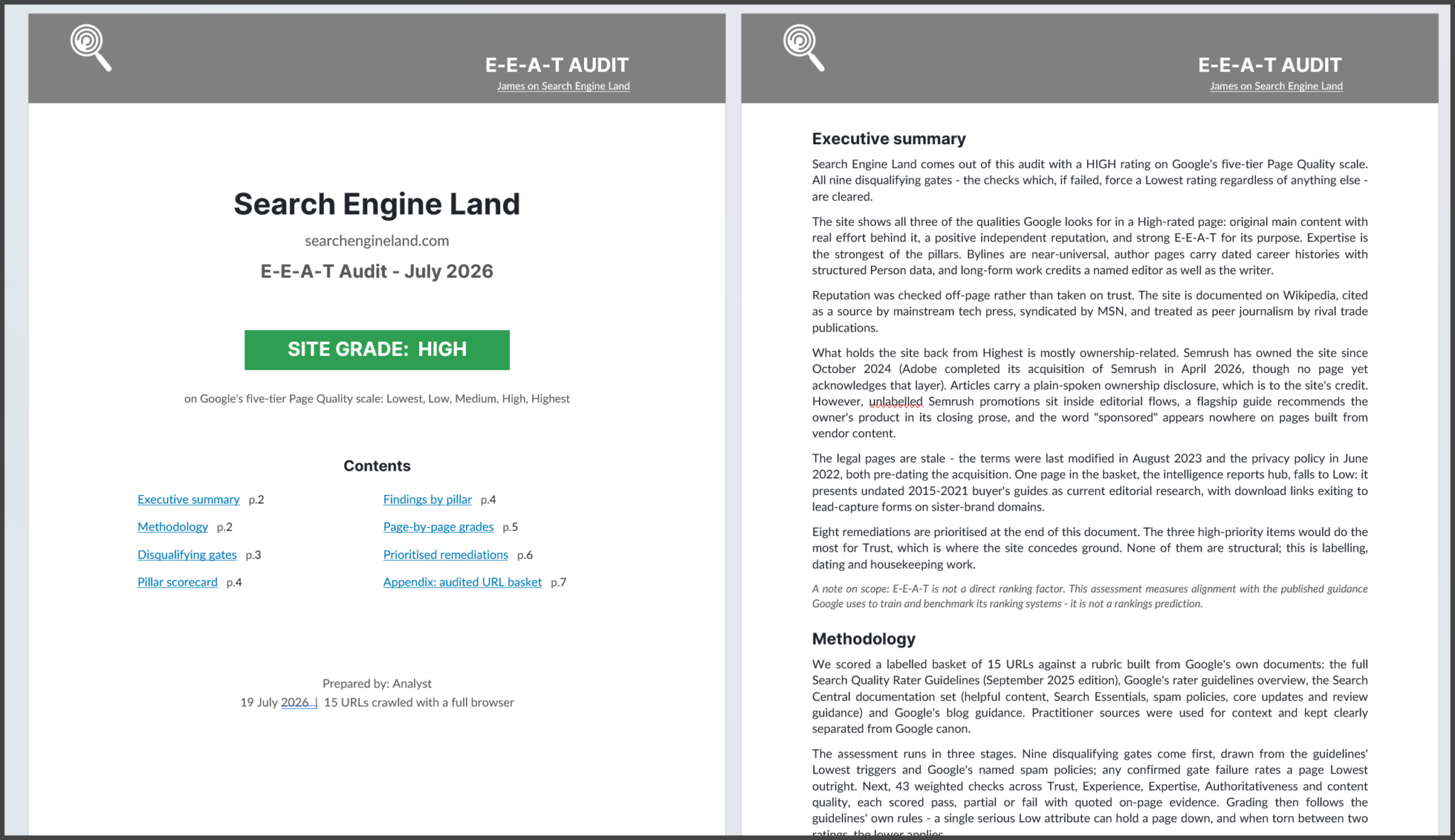

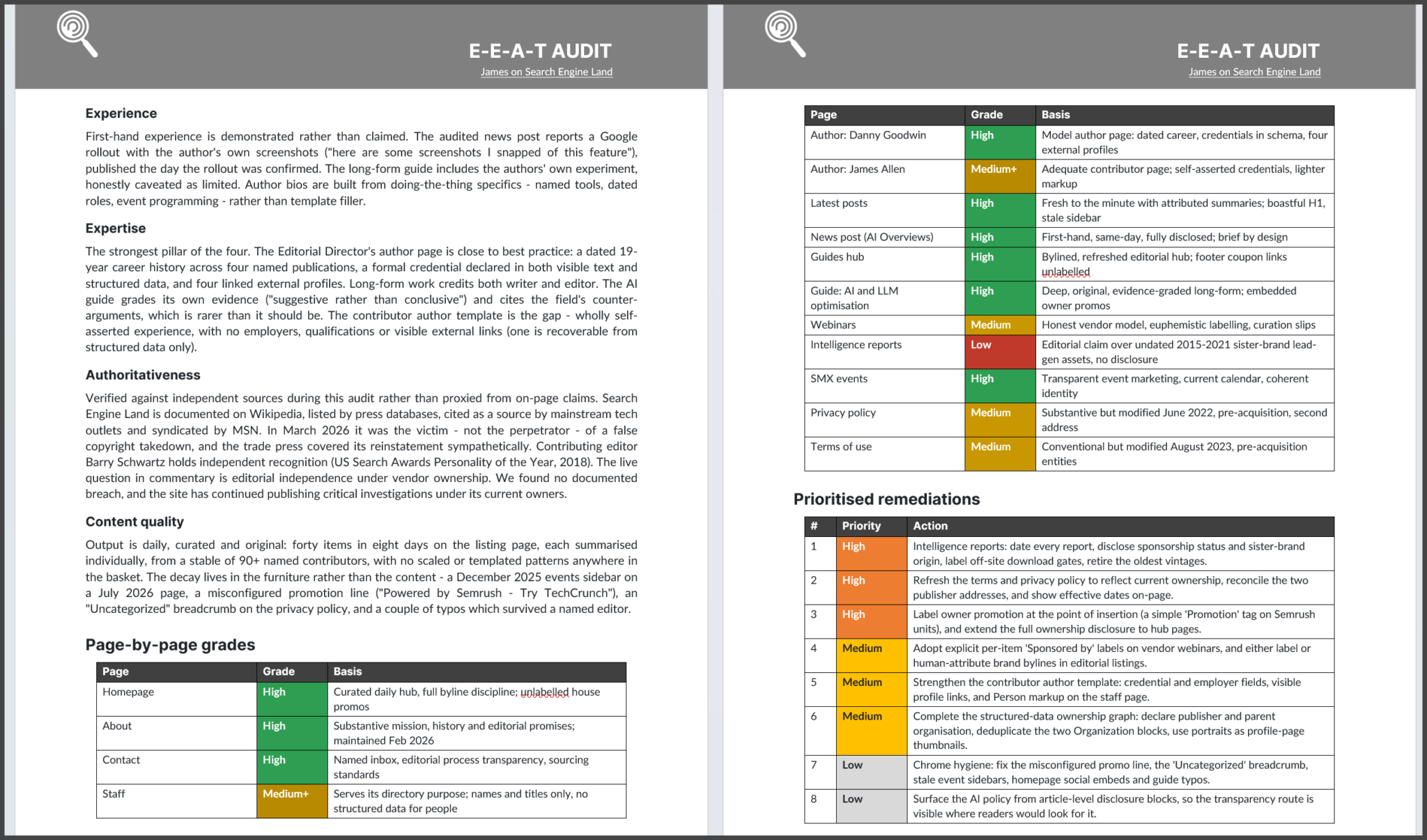
You can download the PDF version to examine here.
Backing up and wrapping up
The document now looks polished and reads well. We could continue refining it by incorporating more data and source material or by taking a more critical approach to the audit and its structure.
For this demonstration, though, we’ve achieved the objective, so it’s time to wrap up and back up the project.

Claude then returned with an update on its backup process and repository preparation:


Next, add the token to the .env file so Claude can create the GitHub repository:
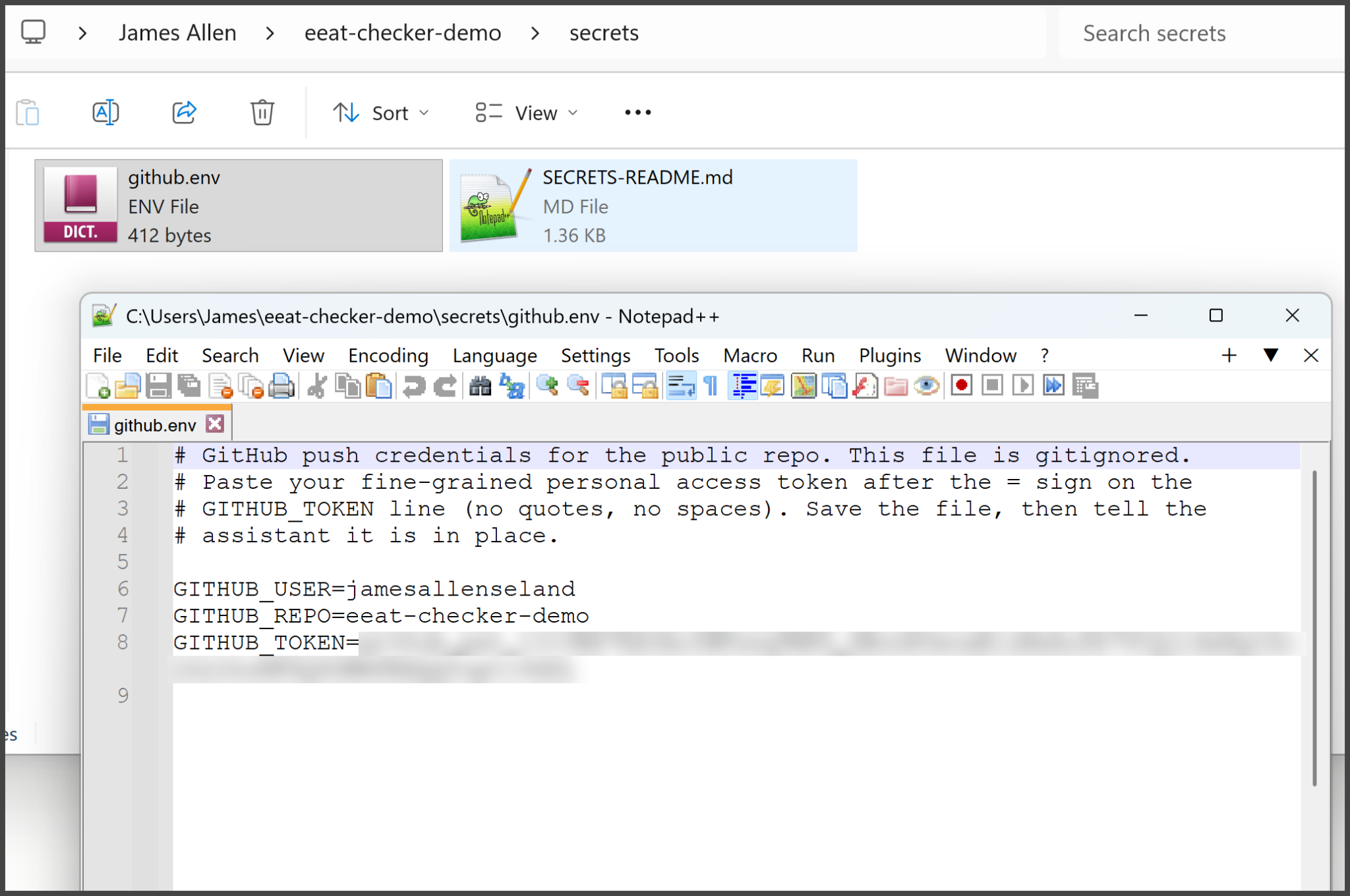
I then manually created the GitHub repository so Claude could push and manage the project.

I could have avoided this step by connecting Claude to GitHub through Git using OAuth. In that setup, Claude would have been able to create, manage, and configure repositories’ settings and permissions automatically. Instead, I used a fine-grained personal access token, which is simpler to set up but requires a few extra manual steps.
After that, Claude successfully created the remote repository and pushed the project from my local machine:

You can find the public GitHub repository for this demonstration here.
If you point your own Claude Code instance at the repository, you can clone it and start using the project immediately. Note that it’s designed as an agentic project. If you open it in a traditional IDE such as Visual Studio, it won’t function as intended. You’ll need an AI coding environment such as Claude Code, Cursor, or OpenClaw.
Conclusions
In a single session, we built a tool that reads Google’s E-E-A-T documentation, stores it in local memory, crawls a selected set of pages, and produces a scored audit as a formatted Word document.
No traditional software development skills were required. The most technical steps involved pasting a token into a configuration file and clicking Create Repository.
A few key takeaways:
- E-E-A-T was a deliberate choice. It evaluates unstructured guidance rather than an API, making it well suited to an AI agent. The same approach could be applied to brand guidelines, editorial standards, accessibility reviews, and similar frameworks.
- Understand the tool’s limitations. E-E-A-T isn’t a direct ranking factor, and no checker can guarantee improved search rankings. Instead, it measures how closely a site aligns with the guidance Google uses to evaluate content quality. That’s still a valuable benchmark.
- Treat the first output as a strong draft. Review it, make corrections, and feed those changes back into the project. Because the tool stores its knowledge in local memory, each refinement improves future audits.
- Back up the project. Once the memory files, prompts, and scripts are pushed to GitHub, the tool’s entire knowledge base is preserved. If your machine fails, restoring the project is as simple as cloning the repository.
- Try it on your own website. Clone the repository, point Claude Code at your site, and review the results. In my test, Search Engine Land performed well overall, but the audit still identified stale legal pages and an undisclosed lead-generation hub.
If you want to pull my repo into your own Claude Code or other agentic IDE, here’s a prompt you can place in a new session / chat:
# Set up the E-E-A-T Checker project
I want to set up the **E-E-A-T Checker** project from this public repo:**https://github.com/jamesallenseland/eeat-checker-demo**
It's an *agentic* project: its instructions, memory files and skills are all in the repo, written for an AI coding assistant like you.
## What to do
1. **Clone the repo** into a sensible projects folder for my system, then work inside that folder for the rest of this session.
2. **Orient yourself.** Read, in this order: - `README.md`
- `CLAUDE.md`
- `docs/FILES-MAP.md`
- `memory/MEMORY.md`
   Follow the reading order the memory index sets out before doing any work.
3. **Check prerequisites** against README.md:
   - Python 3.10+
   - `playwright` (with chromium installed), `pypdf`, `python-docx`, `pymupdf`
   - The **Lato** and **Inter** fonts (free, Google Fonts)
Tell me what's missing and install what you can - but **ask me first** for anything system-level. I'm aware the Word finalise step is Windows-only; if I'm not on Windows with Word, use the documented alternatives.
4. **Don't regenerate the raw corpora.** The source documents and crawl captures are deliberately absent (third-party copyright). The digests and rubric in `memory/` mean the project works without them.
## When you're done
- Confirm the project is operational
- List the **two project skills** it ships with
- Ask me for a **target website** plus a basket of **~15 URLs** so we can run my first E-E-A-T audit
> Do not audit anything until I've confirmed the target.
The prompt above is shown in a code block for readability. To improve its effectiveness, you can enrich it with markdown formatting to provide a clearer structure and richer context for the AI.
https://searchengineland.com/build-eeat-checker-ai-coding-assistant-485407